Recherche personnalisée

vendredi 23 août 2013

Scriptable Objects in Unity3D - Creating a holder for game level for simple board tile based game.

In this tutorial we will create a simple level holder for a board tile based game and construct a level from the holder object. 

Suppose we have a game that consists of a square board (like Flow) and multiple different elements. In our case elements will be small and large cubes and spheres.

Before starting this tutorial you might want to look at the following articles:

(In this article file and directory names from Unity are formatted like this - MainGameScene, class and method names are formatted like this - GameLevelHolder)

When editing the particular level all the information about the level will be immediately stored into .asset file. For this purpose we use Unity3D Scriptable Objects which are most useful for assets which are only meant to store data.

Let's assume our level will be a square board consisting of different elements of different colors. For instance size can be 3x3, 4x4, 5x5.

Create new Unity project. Save the scene, name it MainGameScene. Make the following folder structure for convenience:
We will have board tiles of different types and colors, so lets create folder called Enums inside Scripts folder and create two enums representing tile type and tile color.
// ElementTypes.cs
public enum ElementTypes
{
SmallCube,
LargeCube,
SmallSpere,
LargeSphere
}
// ElementColors.cs
public enum ElementColors
{
NoColor,
Red,
Green,
Blue
}
Now let's create a class that will represent a single tile of our board and a class representing level of our game. We have to make our tile Serializable for it to be displayed in the Unity inspector the same way other Unity objects are (e.g. Vector3)
// BoardTile.cs

[System.Serializable]
public class BoardTile
{
public int tileId;
public ElementTypes elementType;
public ElementColors elementColor;
}
// GameLevelHolder.cs

using UnityEngine;
using System.Collections.Generic;

public class GameLevelHolder : ScriptableObject
{
public string levelName = "Default Level Name";
public int boardSize = 3;

public List<BoardTile> tiles;
}
As you can see GameLevelHolder inherits from ScriptableObject which allows us to save GameLevelHolder objects as .asset files.

Let's also create a custom MenuItem to create a holder for our game level any time we need to. We will store our game levels inside Resources/Levels directory for convenience. CreateGameLevelMenuItem.cs creates an instance of GameLevelHolder, initializes the list of tiles and saves it as an .asset file that represents our game level.
// CreateGameLevelMenuItem.cs

using UnityEngine;
using UnityEditor;
using System.Collections.Generic;

public static class CreateGameLevelMenuItem
{
[MenuItem("Custom/Game Levels/Create New Game Level Holder")]
public static void CreateGameLevelHolder()
{
GameLevelHolder levelHolder =
ScriptableObject.CreateInstance<GameLevelHolder>();
levelHolder.tiles = new List<BoardTile>();

int numberOfElements = levelHolder.boardSize * levelHolder.boardSize;

for (int i = 0; i < numberOfElements; i++)
{
levelHolder.tiles.Add(new BoardTile());
}

AssetDatabase.CreateAsset(levelHolder,
"Assets/Resources/Levels/NewGameLevelHolder.asset");
AssetDatabase.SaveAssets();

EditorUtility.FocusProjectWindow();
Selection.activeObject = levelHolder;
}
}
Now we can test our game level creation menu item.
After clicking on our custom menu item a new file inside Resources/Levels directory should appear. The first step is done - now we have a container to store a game level. We will able to make changes to this file through the wizard GUI. When playing a game we will be able to read this file and build the level using this .asset file.
Now let's read this level we have just created. Create a static class Utils which will provide us a method to retrieve our newly created level. Change "Level Name" field to "First Level" in the inspector tab.
// Utils.cs

using UnityEngine;

public static class Utils
{
private const string _levelsPath = "Levels/";
private const string _defaultLevelName = "NewGameLevelHolder";

public static GameLevelHolder ReadDefaultGameLevelFromAsset()
{
object o = Resources.Load(_levelsPath + _defaultLevelName);
GameLevelHolder retrievedGameLevel = (GameLevelHolder) o;
return retrievedGameLevel;
}
}
Now let's create the class that will construct our game level using the info retrieved from the .asset file. Let's name this class BoardConstructor and retrieve our game level inside Start()method. Also create an empty GameObject, reset its transform and drag the BoardConstructor script onto it. Now rename it to "pref_BoardConstructor" and drag into the "Prefabs" folder.
// BoardConstructor.cs

using UnityEngine;

public class BoardConstructor : MonoBehaviour
{
private GameLevelHolder _currentGameLevel;

void Start()
{
_currentGameLevel = Utils.ReadDefaultGameLevelFromAsset();
Debug.Log("Game Level Name: " + _currentGameLevel.levelName +
", board size is " + _currentGameLevel.boardSize);
}
}
You can now press "Play" button and have a look at the Console tab. If you have done everything right you should see the name of our game level displayed there. 
We have successfully read the level so let's try to use our BoardConstructor to create it's visual representation. 

First we need to prepare prefabs which our board will consist of. Create the following GameObjects and save them as prefabs inside Prefabs/BoardElements directory (reset each element position to 0, 0, 0):
  • A cube with scale (1, 1, 0.1) and name it pref_BoardFoundation
  • A cube with scale (0.7, 0.7, 0.7) and name it pref_CubeLarge
  • A cube with scale (0.3, 0.3, 0.3) and name it pref_CubeSmall
  • A sphere with scale (0.7, 0.7, 0.7) and name it pref_SphereLarge
  • A sphere with scale (0.3, 0.3, 0.3) and name it pref_SphereSmall
Also create a black material named mat_Foundation and assign it to pref_BoardFoundation.
Now update our script so it could construct the board from our NewGameLevelHolder.asset file. 
// BoardConstructor.cs

using UnityEngine;
using System.Collections.Generic;

public class BoardConstructor : MonoBehaviour
{
public Transform foundationPrefab;

public Transform smallCubePrefab;
public Transform largeCubePrefab;
public Transform smallSpherePrefab;
public Transform largeSpherePrefab;

private const float _elementSize = 1.0f;

private IDictionary<ElementTypes, Transform> _elementPrefabs;
private IDictionary<ElementColors, Color> _elementColors;
private GameLevelHolder _currentGameLevel;

private float _offset;

void Start()
{
_currentGameLevel = Utils.ReadDefaultGameLevelFromAsset();
Debug.Log("Game Level Name: " + _currentGameLevel.levelName +
", board size is " + _currentGameLevel.boardSize);
// we need this offset to position elements correctly
_offset = (_currentGameLevel.boardSize / 2f) - (_elementSize / 2f);

InitPrefabsDictionary();
InitColorsDictionary();

BuildBoardFoundation();
BuildBoardTiles();
}

private void InitPrefabsDictionary()
{
_elementPrefabs = new Dictionary<ElementTypes, Transform>();
_elementPrefabs.Add(ElementTypes.SmallCube, smallCubePrefab);
_elementPrefabs.Add(ElementTypes.LargeCube, largeCubePrefab);
_elementPrefabs.Add(ElementTypes.SmallSpere, smallSpherePrefab);
_elementPrefabs.Add(ElementTypes.LargeSphere, largeSpherePrefab);
}

private void InitColorsDictionary()
{
_elementColors = new Dictionary<ElementColors, Color>();
_elementColors.Add(ElementColors.NoColor, Color.white);
_elementColors.Add(ElementColors.Red, Color.red);
_elementColors.Add(ElementColors.Green, Color.green);
_elementColors.Add(ElementColors.Blue, Color.blue);
}

// creates board foundation the same size as the board
private void BuildBoardFoundation()
{
Transform boardFoundation =
Instantiate(foundationPrefab, Vector3.zero, Quaternion.identity) as Transform;
int boardSize = _currentGameLevel.boardSize;
boardFoundation.transform.localScale =
new Vector3(boardSize, boardSize, boardFoundation.localScale.z);
}

private void BuildBoardTiles()
{
int boardSize = _currentGameLevel.boardSize;
List<BoardTile> tiles = _currentGameLevel.tiles;

for (int row = 0; row < boardSize; row++)
{
for (int column = 0; column < boardSize; column++)
{
int elementIndex = CalculateElementIndex(row, column, boardSize);
BoardTile element = tiles[elementIndex];

// Choose element prefab
Transform elementPrefab = _elementPrefabs[element.elementType];

Vector3 elementPosition = CalculateElementPosition(row, column);
Transform elementTransform =
Instantiate(elementPrefab, elementPosition, Quaternion.identity) as Transform;

// Set element color
Color elementColor = _elementColors[element.elementColor];
elementTransform.renderer.material.color = elementColor;
}
}
}

private int CalculateElementIndex(int row, int column, int boardSize)
{
return row * boardSize + column;
}

private Vector3 CalculateElementPosition(int row, int column)
{
float x = row - _offset;
float y = column - _offset;
return new Vector3(x, y, 0);
}
}
The script looks big but there is nothing complicated in it. First we declare public Transform variables to be able to set them in Inspector tab. After this we declare dictionaries with element types and colors for convenient access to prefabs and Color values and initialize them. After this we construct our board using information read from NewGameLevelHolder.asset file.

Drag and drop element prefabs created before to corresponding empty slots of BoardConstructor script.
After you finish the script and drag-and-drop prefabs press "Play" button and you will see the simple board constructed. The result should look like this (depends on your changes in the .asset file, here I've changed some colors and element types):
Now try to edit level file and change element types and colors. Press "Play" button again and you will see that your updates are visible after the board is constructed.

So we now we have constructed a board using information that was read from the .asset file. This shows how Scriptable Objects can be useful when you need to store object data. 

Download zipped Unity3D project. Please leave comments if you have any issues.

jeudi 22 août 2013

Minecraft apk Pocket Edition 0.7.5

minecraft apk logo
Minecraft apk is about placing blocks to build things and going on adventures. Pocket Edition includes randomly generated worlds, multiplier  over a local WI-Fi network, and Survival and Creative modes. You can craft and create with your friends anywhere in the world so long as you have hands spare and battery to burn the android games but you can do something which is really creative and not a game bunch full of time waste.
Our most recent update added the iconic Creepers. They’re big, green, mean and explode. But it’s just one of many. Since Minecraft apk — Pocket Edition first appeared on android drawer, we’re continuing to add loads of new features in to download free android games, including…
- Food! Now you can cook and go hungry
- Swords! Bows! TNT!
- Chests
- Skeletons
- Spiders
- Beds
- Paintings
- Lots more!
But enough sales talk! Download it already! And have fun! So build the blocks that are in your mind in this game as see what is in your mind which want to come out. What you want to express with the help of this free apk game so lets do it. Just download it and start the absolute fun right here. Pictures related this android games are given below:
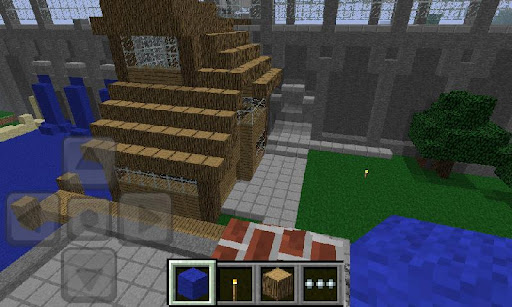
Minecraft apk full previewMinecraft apk full game play


Current Version: 0.7.5
Requires Android: Varies with device
Category: Arcade & Action
Version 0.7.5
- Unicode keyboard support, chat in more languages!
- Clients' armor is saved on server
- Realms bug fixes
- A few more bug fixes :)
- Higher friction while flying
Version 0.7.0
- Alpha of Realms servers
- Buckets
- Fire
- Smooth lighting
- Spawn eggs
- Chat
- Egg, milk and cake
- Connecting players inventory is now saved on server
- New menus in android apk

Download via Google Play:
download button Minecraft apk pocket edition Market Link

Despicable Me 1.0.0 Free download

Gru’s loyal, yellow, gibberish-speaking Minions are ready for their toughest challenge in Despicable Me: Minion Rush. Play as a Minion and compete with others in hilarious, fast-paced challenges in order to impress your boss, (former?) super-villain Gru! Jump, fly, dodge obstacles, collect bananas, be mischievous, and defeat villains to earn the title of Minion of the Year!
ALL THE HEART AND HUMOR OF DESPICABLE ME
• Enjoy unpredictably hilarious Minion moments
• Perform despicable acts through hundreds of missions
• Run through iconic locations, which are full of surprises, secrets and tricky obstacles: Gru’s Lab and Gru’s Residential Area
• Customize your Minion with unique costumes, weapons, and power-ups
• Battle Vector and an all-new villain exclusively created for the game
AN INNOVATIVE AND ORIGINAL GAME
• Encounter secret areas, unique boss fights and amazing power-ups
• Experience custom animation and voice overs, and state-of-the-art 3D graphics
• Enjoy multiple dynamic camera angles
• Engage in various bonus gameplays:
→ Destroy things as Mega Minion
→ Collect bananas riding the Fluffy Unicorn
→ Hang on to Gru’s Rocket for the ride of your life
• Have fun with your friends! See their best scores during your run, send them funny Minion taunts and challenges to show them who’s going to win Minion of the Year!
Note: For optimal performance, we recommend that you have at least 50Mb of free storage available while playing the game and that no apps are running in the background.
Screenshots to download free android games:

Despicable-Me-screenshot-5 Despicable-Me-screenshot-4 Despicable-Me-screenshot-3 Despicable-Me-screenshot-2

Download via ApkDrawer:
download button
Despicable Me 1.0.0.apk
Download via APK Games:
download button
Despicable Me 1.0.0

  • Size: 11 MB
  • Version: 1.0.0
  • Update Date: June 28, 2013
  • Requirement: 2.3 and up
  • Price: Free
  • Developer: Gameloft

iStunt 2 apk 1.0.6 Free Download

Hit the slopes in the most extreme FREE snowboarding game iStunt 2 apk. Get ready to hit the slopes in the most extreme snowboarding game on Android Drawer. Escape deadly buzz saws, keep you balance through gravity shifts and speed boosts, grind your way to victory in this fast paced and insanely addictive snowboarding game.
REVIEWS:
“The sense of being just enough in control is cool, and adds to the overall thrill ride element of iStunt 2.” – IGN
“Pulling off a twisting move, a couple of grabs, and tilting just right, and just in time, for a perfect landing is what makes iStunt 2 a blast.” – PocketGamer
“iStunt 2 is full of clever and surprising levels that remain exhilerating all the way through. iStunt 2 is a stunner.” – SlideToPlay
KEY FEATURES:
  • Stunning HD graphics!
  • Fast paced gaming with perfectly balanced tilt controls!
  • 88 insane levels + more levels added regularly to keep all your extreme snowboarding needs satisfied!
  • In-game store with cool unique items!
  • Open Feint integration and leaderboards – show you’re friends who’s the stunt king in these deadly slopes!
If you’re tired of just tapping games away embrace the full gaming experience. Tilt, tap and slide your way to victory!
Try also the free web version of iStunt 2 on our website:
http://www.miniclip.com/games/istunt-2/en/

Screenshots to download free android games apk:
iStunt-2 apk title iStunt-2 apk snow board
iStunt-2 apk all four stages

Download via ApkDrawer:
download button 
DownloadiStunt 2 apk 1.0.6
Download via APK Games:
download button
iStunt 2 apk 1.0.6

  • Size: 20 MB
  • Version: 1.0.6
  • Update Date: October 10, 2012
  • Requirement: 2.1 and up
  • Price: Free
  • Developer: Miniclip.com

  • What's new:
    • Your favorite game now runs on Jelly Bean!

vendredi 16 août 2013

Sygic GPS Navigation 13.2.0.154 Beta 1 And 2013.03 Maps Apk Download

 Sygic GPS Navigation v12.1.3Needs: 2.0.1+
 Overview: THE MOST DOWNLOADED OFFLINE NAVIGATION application WORLDWIDE!


FEATURES
➤High quality TomTom maps retained on the mobile
➤Functions alongside GPS only, net is actually not needed
➤Switch-with-Switch voice guided navigation
➤Spoken road Names to concentrate on the path
➤3 option Routes available
➤Waypoints for the locations you want to check out
➤Powerful Lane Guidance in order to know their right lane
➤Junction look at in order to understand intersections
➤Speed reduce show to protect your wallet
➤Rate Digital Camera Warnings concerning Fast Gonzales
 _______________________________________
 ADVANTAGES
➤Free changes: maps, premium POI, speed cams
➤3D metropolitan areas & land towards straight forward orientation
 _______________________________________
 SECURITY and/or CONSUMER CONVENIENCE
➤Sharp Curve Warnings towards additional safety
➤Notification concerning Upcoming Speed Limitation Changes
➤Prevent Toll Roads at component or perhaps on whole route
➤Prevent Roadblocks, Motorways …
➤Pedestrian Navigation in order to stroll and/or explore
➤Compass & Stopwatch towards outside strategies
 _______________________________________
 SYGIC AREAS
➤Exclusive POIs since complimentary install in the Sygic
➤TripAdvisor, Booking.com & lots of much more
 _______________________________________
 GREAT BROWSE
➤Google™ town Search to come across something
➤Uncover and/or Navigate to
 · Deal With
 · Contact
 · POI
 · Postal code
 · Intersection
 · GPS coordinates
 · Geo tagged picture
 · Residence
 _______________________________________
 application IN WHICH are PERSONAL
➤Import of worthwhile areas – POIs
➤Customizable navigation screen
➤Path Incident Sharing with other drivers
➤SOS/help find out help nearby
➤Customizable spoken warnings
➤Friends regarding the map
 _______________________________________
 COMPATIBLE TO THE MAX
➤Soft Hardware Accelerated 3D rendering
➤Automobile Audio Integration – Bluetooth or perhaps cable
➤Graphics fine tuned for the tablet & HD shows

What is brand new
 - Find the desired place having Foursquare browse
 - Traffic view became even more enjoyable
 - Show Settings
 - That traffic icon changes as well as buy grey in offline mode.
 - Cosmetic bug fixes

Download Apk and install
Download Base and copy folder in Sdcard
Download Map and copy folder in Sdcard/Sygic/Maps

APK Link

Download Link ... 1
Download Link ... 2

New Base (Sdcard)

Download Link ...1 part...1  part ...2
Download Link ...2 part...1  part ...2

Maps 03.2013 (Sdcard/Sygic/Maps)

Download Maps online or with DOWNLOADER  FOR PC (require Microsoft .NET4. Download Base maps and Maps for your country or region) .  Put downloaded maps (wcl and countries) in ..SYGIC/Maps directory.

Download from here ... 1
Download from here ... 2
Download from here ... 3
Download from here ... 4

jeudi 15 août 2013

Download Minecraft 0.7.3 APK Pocket edition for Android

Minecraft 0.7.3 APK version has uploaden on play store today. Whereas only a few days ago i have posted the version 0.7.2 of minecraft you can find it here.  This mobile version Minecraft seems to improve itself to be a better game app for smart device especially Android device. This is the one that comes to bring you such a different experience on a mobile device.


The story continues for the PC version, with animals, enemies, crafting, underground secrets to find and more - however the Android version is still in the early stages of development, and as of yet, only contains the default sandbox style of play, where building is your best - and only - friend.


The objectives remain the same as the original, which is that players can build whatever reality they’d like, dealing with mobs of zombies, creepers, skeletons, pigs, cows and more. Worlds are finite like the Classic version, but there isn’t infinite water at the corners, which makes things a little more difficult. Otherwise most of it is near the same, often being updated which is a plus to any mobile game.

In short, the game is pretty amazing and it is quite astonishing to know that you can carry the Minecraft world in your pocket.

In this update minecraft 0.7.3 apk featured with Double chest, Added sun, moon and stars, Quartz slabs, Cooler title screen, Many realms improvements, Bug fixes

Buy this Gampe From play store via this link, or download the APK file of minecraft 0.7.3 by following the link below :


Download Crazy Taxi APK for Android

Crazy taxi is now arrives for android mobile platfroms, vew weeks ago this apps is launched on play store by sega. This game is my childhood Dreamcast and Arcade classics game. The frantic cab racing game can be downloaded to tablets or smartphones through the Google Play Store for $4.99, £2.99, or €4.49.


The game will feature original music by The Offspring and Bad Religion, the ability to drive as the game’s four esteemed cabbies (Axel, B.D.Joe, Gena and Gus), 15 mini games and high quality graphics


The Android version features remastered visuals. The soundtrack is still the same, though, so I hope you like Bad Religion and The Offspring. If not, you can fortunately just use whatever music you already have on your device.

There really isn’t much to not like about Crazy Taxi. However, there isn’t much to the game, and that’s the first thing we didn’t like about it, though it’s somewhat forgivable considering the year the game originally launched. It’s an arcade game, through and through, which means there won’t be any story or campaign to play around with. Once you get bored of the time challenges, chances are, you’re going to quickly become bored of Crazy Taxi.

Download Crazy Taxy APK For Android Here